
Crozato
0
Please wait, content is loading...
Connect the tools you already use

Salesforce Integration That Keeps Your Data In Sync

Plan the Data Flow

We map which system owns which data and how it should move, before any connection is built.

Right Tool for the Job

MuleSoft, REST APIs, native connectors or middleware, chosen for your volumes and budget, not our habits.

Tested Before Launch

Every connection is tried in a sandbox with realistic data, including the awkward cases.

Watched After Go-Live

Alerts and monitoring catch failed syncs early, so problems are fixed before your users notice.
What it means

Salesforce Integration, Explained

Salesforce integration means connecting Salesforce to the other software your business runs on, such as your ERP, billing system, marketing platform, website or support desk, so information moves between them without anyone retyping it.

Done well, a sales rep sees the latest invoice before a renewal call, and finance sees a signed deal without asking for a spreadsheet. Done badly, you get duplicate records, missed updates and a team that no longer trusts the data.

Crozato designs, builds and looks after Salesforce integrations for growing businesses. If you need a fresh setup first, see our Salesforce implementation service, or ask about managed services for ongoing care.
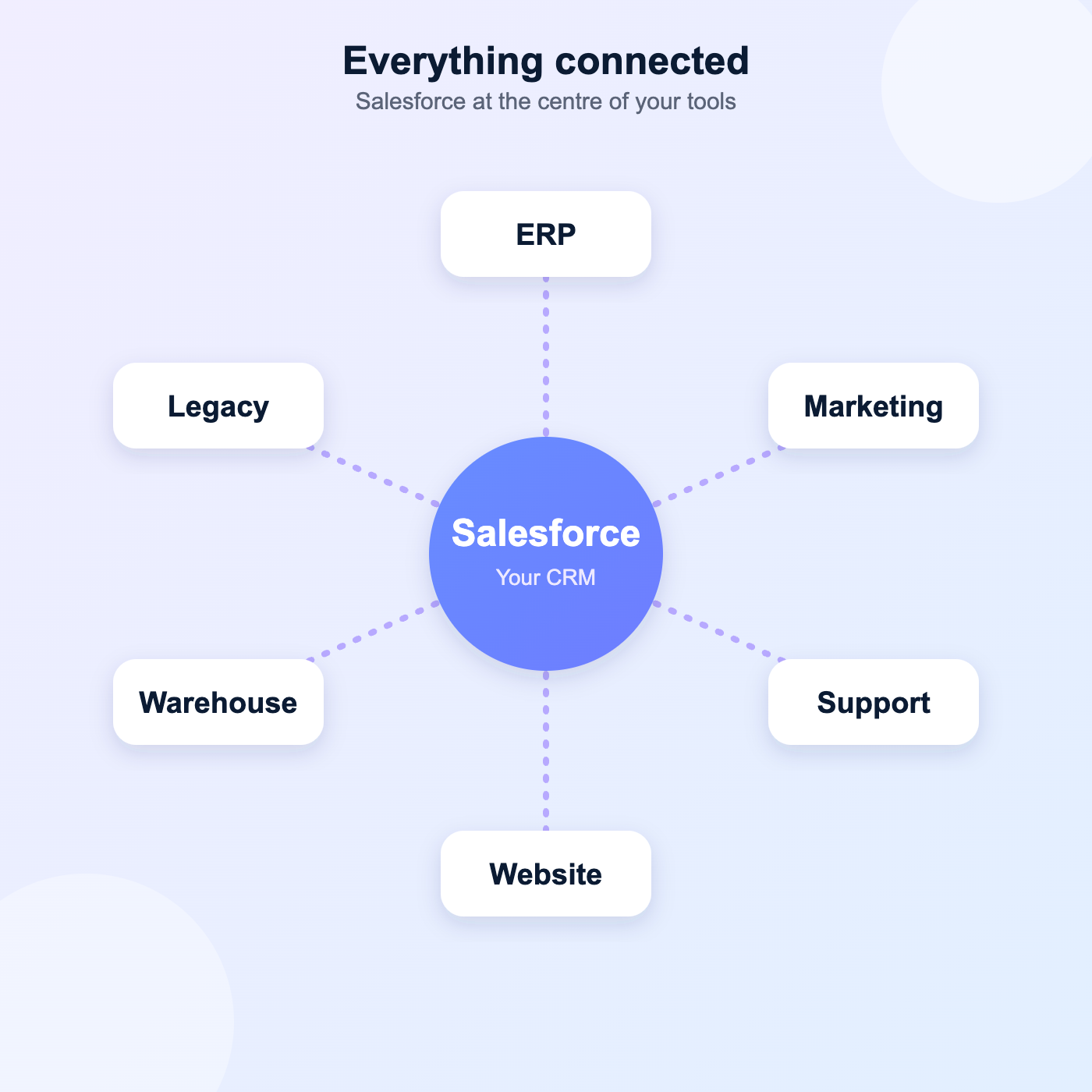
Two-way or one-way data sync
Real-time or scheduled updates
Clear error handling and alerts
Documentation your team can follow
Salesforce connected to ERP, marketing, support, website, data warehouse and legacy systems
Common integrations

What We Can Connect to Salesforce

ERP and Finance

Orders, invoices and payment status shared between Salesforce and tools such as SAP, NetSuite or QuickBooks.

Marketing Platforms

Leads, campaigns and engagement flowing between Salesforce and your email and marketing tools.

Support and Service Desks

Tickets and customer history visible to sales and service teams in one place.

Websites and Forms

Web leads, signups and orders land in Salesforce with the right owner and source.

Data Warehouses and Reporting

Salesforce data sent to your warehouse or BI tool, so reports draw on one trusted source.

Custom and Legacy Systems

APIs and file-based links for in-house or older software that has no ready-made connector.
How we build

A Careful Build, Step by Step

Connections break when they are rushed. We write down the data flow first, build in a sandbox, and test with data that looks like yours, including the missing fields and odd formats that cause trouble in real life.

You see each connection working before it goes live, and we agree what should happen when something fails: retry, alert, or hold the record for review.
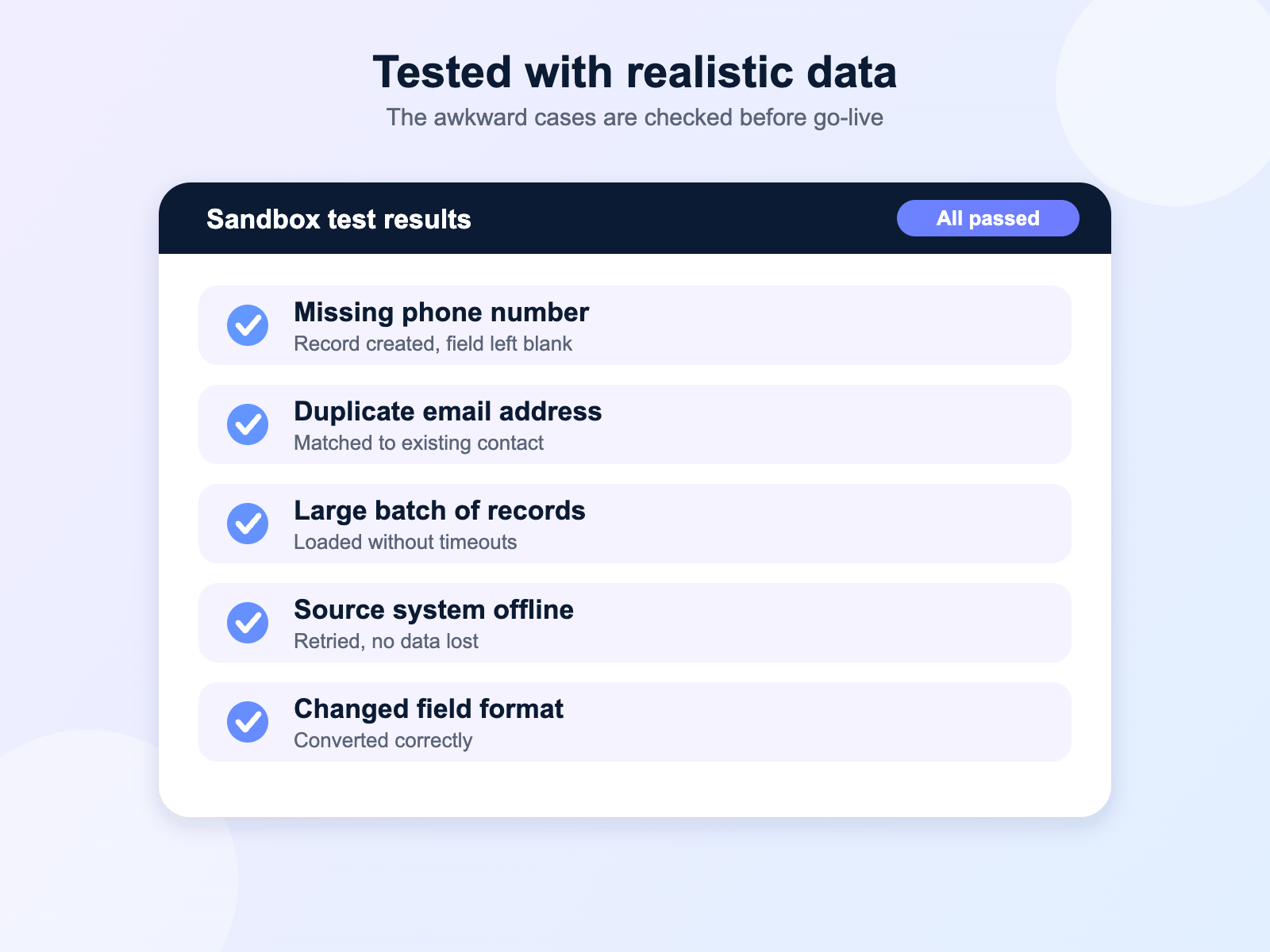
Data flow agreed in writing first
Built and tested in a sandbox
Failure rules set before launch
Your sign-off before go-live
Sandbox test results showing a Salesforce integration passing edge-case checks
Keeping it running

Monitoring That Catches Problems Early

An integration that stops overnight and goes unnoticed can be worse than none at all. We set up logging and alerts so failed syncs are seen the same day, along with a simple way to retry them.

APIs change, limits are reached and passwords expire. After launch we can watch your connections and fix problems for you, or hand your team a clear runbook so they can do it themselves.
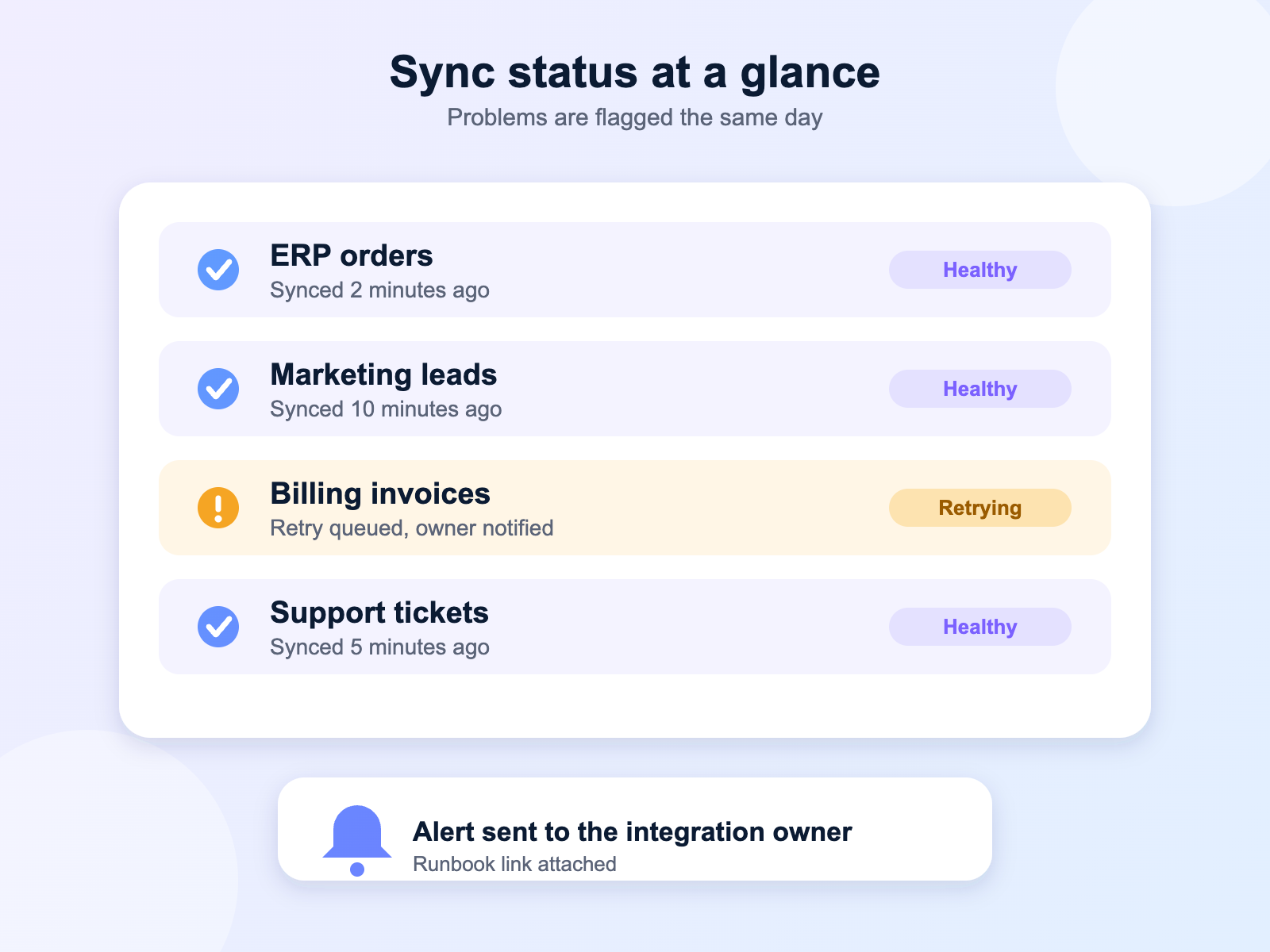
Failed syncs flagged the same day
API limits and expiries watched
Retry steps documented
A monthly health summary on request
Integration monitoring panel showing sync status and a retry alert
Getting started

From First Call to a Live Connection

Step 1

Map the Flow

We list your systems, the data that moves and which system owns each field.
Step 2

Choose the Approach

We pick the right tool and share a simple plan with timelines.
Step 3

Build and Test

We build in a sandbox and test with realistic data until it holds up.
Step 4

Launch and Monitor

We go live in a planned window and watch the connection closely at first.
Is it right for you?

Signs You Need a Salesforce Integration

Most teams come to us after the same pain shows up again and again. If you recognise any of the points below, a proper integration will probably save you time and mistakes.
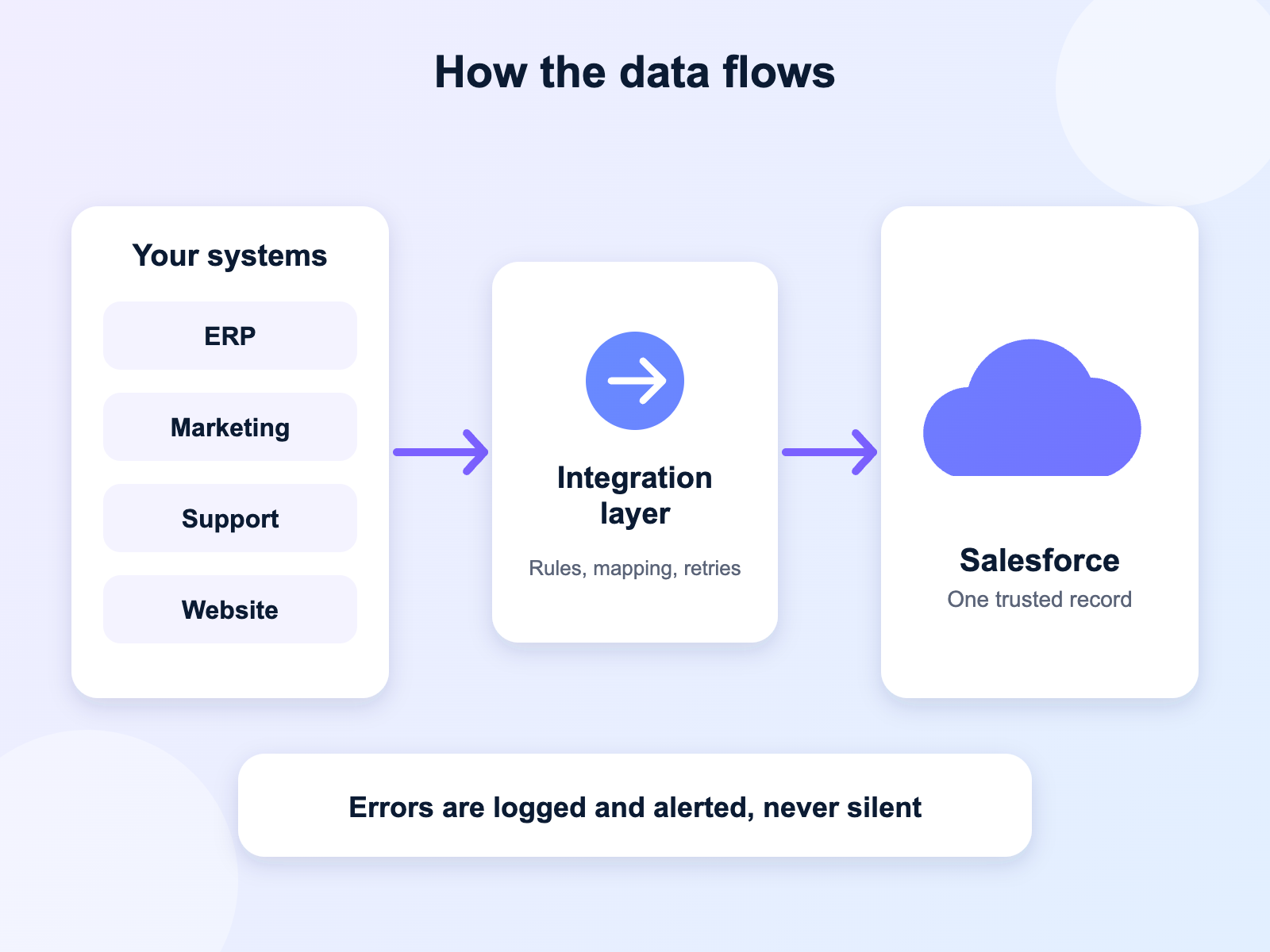
People copy data between systems by hand
Reports from different tools never match
A past connection broke and nobody owns it
You are adding a new system to your stack
Data flowing from business systems through an integration layer into Salesforce
Project options

Choose How We Work With You

Some integrations are a single link between two tools. Others involve several systems and a lot of history. We scope each project around what you need, and agree deliverables, timeline and cost in writing before work starts.

Fixed scope and timeline
A progress update every week
Documentation included
Optional monitoring after launch
Questions

Salesforce Integration FAQs

01 What is Salesforce integration?
It is the work of connecting Salesforce to other software, such as your ERP, billing or marketing tools, so data moves between them automatically and stays consistent.
02 Which systems can you connect to Salesforce?
Most business software can be connected, including ERP, finance, marketing, support, data warehouse and in-house systems. If a tool has an API or can export files, there is usually a way to link it.
03 What tools do you use for integrations?
We choose the tool to fit the job. Options include MuleSoft, Salesforce APIs and Flow, native connectors and lighter middleware. We explain the trade-offs so you can decide.
04 How long does an integration take?
A single, well-defined connection can often be built in a few weeks. Projects with several systems, messy data or complex rules take longer. We confirm a timeline after the mapping stage.
05 Will integrating create duplicate or bad data?
Not if it is planned well. We agree which system owns each field, set matching rules to avoid duplicates, and test with realistic data before anything goes live.
06 What happens if an integration breaks?
We set up alerts so failures are noticed quickly, and agree retry and escalation steps up front. After launch you can have us monitor and fix issues, or keep it in-house using our documentation.
07 How much does Salesforce integration cost?
Cost depends on the number of systems, the volume and complexity of the data, and the tool used. We scope each project on its own and send a written quote before work begins.
Cart (0 items)