
Crozato
0
Please wait, content is loading...
Built around how your team works

Salesforce Implementation That Your Team Will Actually Use

Plan Before We Build

We start with your processes, not the software. Every screen we build traces back to a problem you told us about.

Certified Consultants

Admins, developers and architects who have set up Salesforce for teams like yours and know where projects go wrong.

Built in Sandboxes

Changes are built and tested away from your live data, then moved over in one planned release.

Training and Handover

Your people learn the system on their own data, and you get plain documentation when we finish.
What it means

Salesforce Implementation, Explained

A Salesforce implementation is the work of turning a licence into a working system. It covers deciding how your sales, service or marketing teams should use the platform, setting it up to match, moving your existing data across, and teaching people to use it.

Many projects stall at this point. The licence is bought, a few fields get added, and six months later the reps are back in spreadsheets. A good implementation prevents that by starting from how your team really works and building only what they need.

Crozato plans, configures and launches Salesforce for growing businesses. We keep the scope clear, report progress every week and stay close after go-live. Already live and need ongoing care? See our Salesforce managed services or the wider range of Salesforce services.
Process mapping before any build
Setup matched to your sales or service flow
Clean data migration
Training for every user group
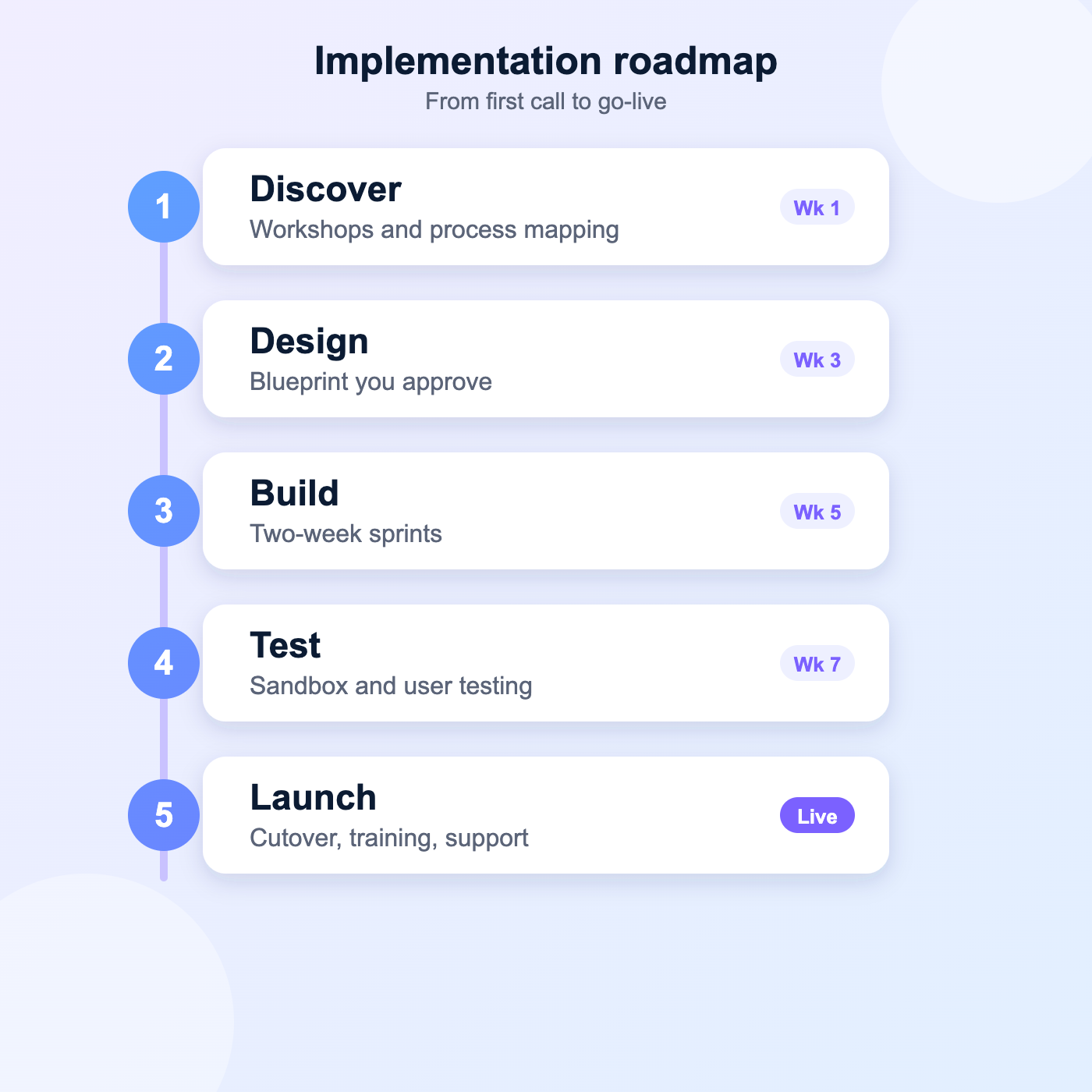
Five-step Salesforce implementation roadmap from discovery to launch
What you get

What Your Implementation Covers

Discovery and Process Mapping

Workshops with your team to write down how leads, deals and cases move today, and where they get stuck.

Configuration and Customisation

Objects, fields, flows and permissions set up to fit your process, with code used only when clicks cannot do the job.

Data Migration and Cleanup

Old records are cleaned, de-duplicated and mapped before they load, so the new org starts with data people trust.

Integrations

Links to your ERP, billing, email and marketing tools, so information moves between systems without retyping.

Training and Adoption

Role-based sessions, short guides and a first-month check-in so people use the system from day one.

Go-Live and Support

A tested cutover plan, a team on standby at launch, and a stabilisation period to fix what real use uncovers.
How we deliver

A Clear Path From Kickoff to Go-Live

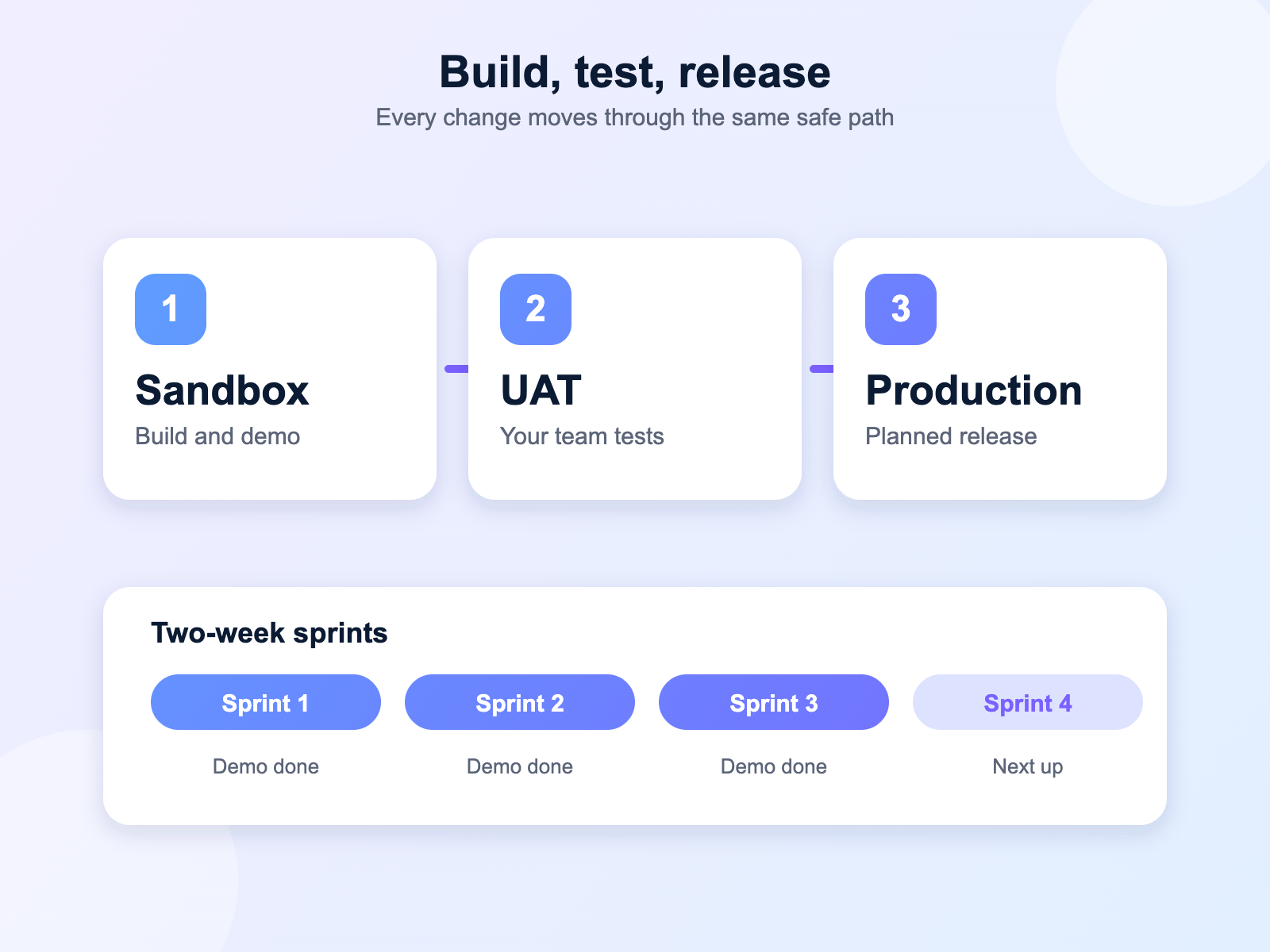
Implementations go wrong when nobody can see progress. We split the work into two-week sprints, and at the end of each one you see a working piece of your system, not a slide deck.

You review it, tell us what needs to change, and the next sprint picks that up. By the time we reach user acceptance testing, nothing should come as a surprise.
A demo of working features every two weeks
One shared backlog you can always see
Tested in a sandbox, released in batches
Your sign-off before each go-live step
Sandbox, user testing and production release flow with two-week sprints
Moving your data

Data Migration Without the Headaches

Your data is the most valuable thing you bring to a new Salesforce org, and the easiest to damage. Duplicate contacts, missing owners and old formats all follow you across unless someone deals with them first.

We profile your source files, agree what moves and what stays behind, clean the rest, and run trial loads in a sandbox. You check the results before a single record reaches production.
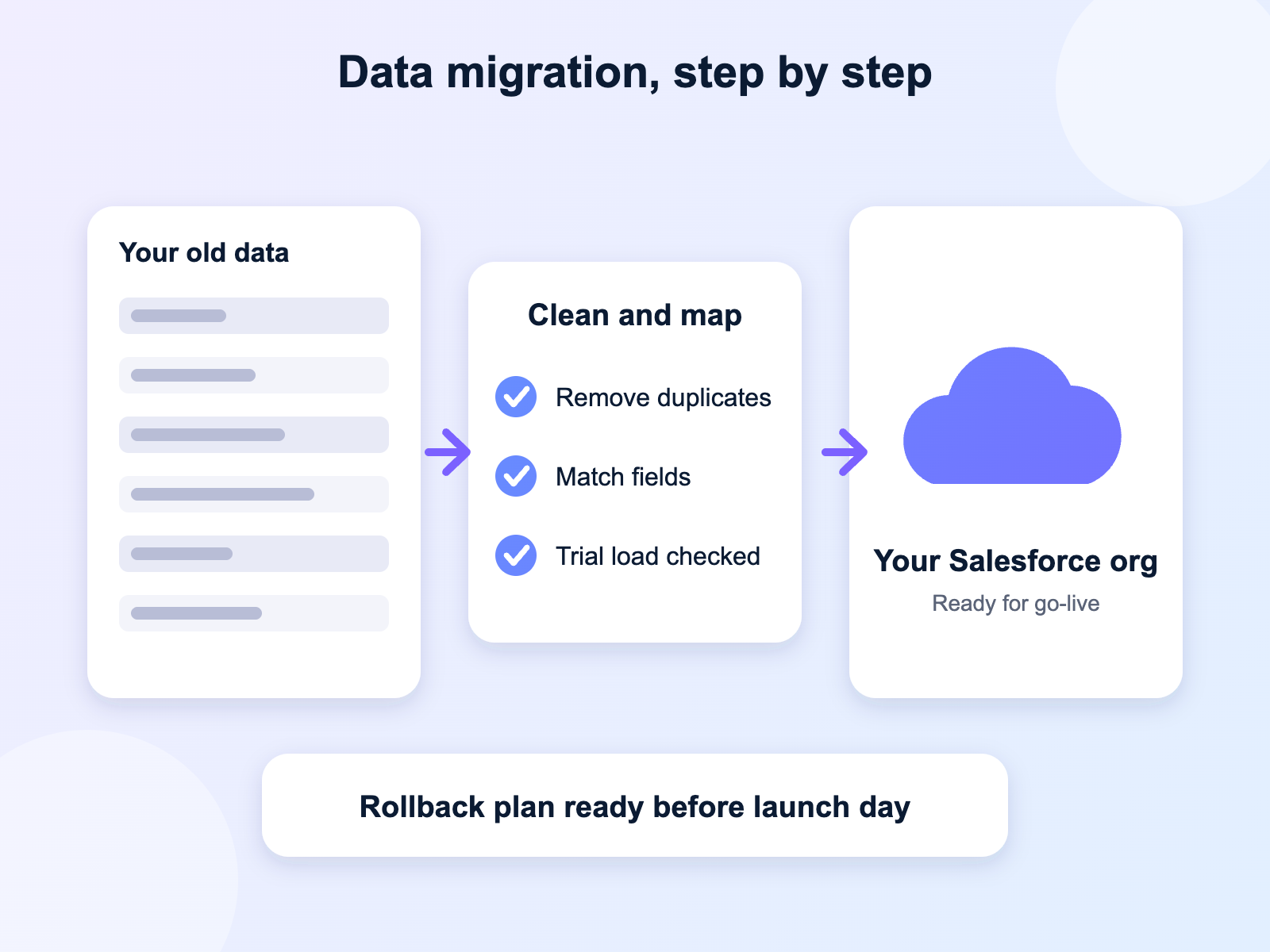
Source data reviewed and profiled
Duplicates merged before loading
Trial loads checked by your team
A rollback plan for launch day
Salesforce data migration process from old data through cleanup to the new org
Getting started

From First Call to Go-Live in Four Steps

Step 1

Discover

We map how your teams work today and agree goals, scope and timing in writing.
Step 2

Design

We turn that into a plain blueprint of screens, data and automations for you to approve.
Step 3

Build and Test

We build in sprints, load trial data and test with your users, fixing issues early.
Step 4

Launch and Support

We run the cutover, train your people and stay close through the first weeks of use.
Is it right for you?

Who Needs a Salesforce Implementation

Implementation suits companies at a turning point. Some are replacing spreadsheets or an older CRM. Others already have Salesforce, but the first setup was rushed and now gets in the way. If any of the points below sound familiar, we should talk.
You are buying Salesforce for the first time
Spreadsheets or your old CRM can no longer keep up
A past Salesforce setup was rushed and nobody trusts it
You are adding Service, Marketing or a new business unit
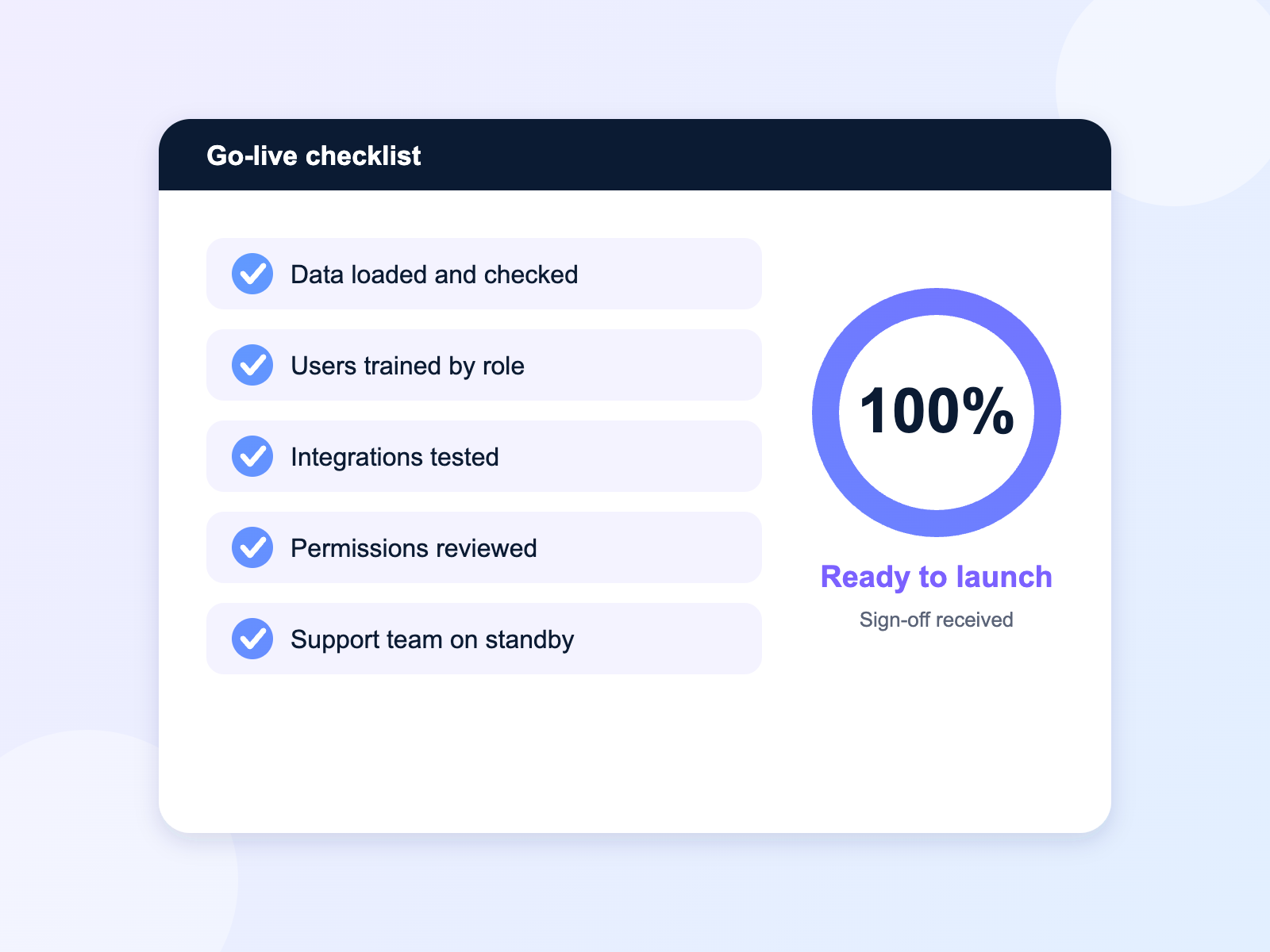
Go-live checklist showing a Salesforce implementation ready to launch
Project options

Choose the Approach That Fits

Every project is scoped around your team size, the clouds you need and the data you bring. We agree deliverables, timeline and cost in writing before work starts, so there are no surprises on your first invoice.

Fixed scope with a clear timeline
A progress update every week
Your data stays in your own org
Post-launch support included
Questions

Salesforce Implementation FAQs

01 What is a Salesforce implementation?
It is the full process of getting Salesforce ready for real work: planning how your teams will use it, configuring the system, moving your existing data across, connecting other tools, training users and launching. It turns a licence into a system your team relies on.
02 How long does a Salesforce implementation take?
A focused project for one team on a single cloud often takes eight to twelve weeks. Larger rollouts with several clouds, integrations or heavy data work take longer. We give you a timeline after discovery, once we know how much there is to build.
03 How much does a Salesforce implementation cost?
Cost depends on the number of users, the clouds you need, how much data moves and how many integrations are involved. We scope each project on its own and give a written quote before work starts, so you know the number up front.
04 Do you handle data migration?
Yes. We review your source data, remove duplicates, map fields to Salesforce, run trial loads in a sandbox and load the final data only after your team has checked it.
05 Will my team get training?
Yes. We run role-based sessions for each group, share short written guides and check in during the first weeks after launch to answer questions.
06 Can you connect Salesforce to our other systems?
Yes. We connect Salesforce to ERP, billing, marketing and support tools using MuleSoft, REST APIs or simpler connectors, whichever suits the job.
07 What happens after go-live?
We stay close through a stabilisation period to fix the issues that real use brings out. After that you can run the org yourselves or move to a Salesforce managed services plan for ongoing support.
Cart (0 items)